Real voices on every position
Clearance Delivery, Ground, Tower, and Center each have their own voice agent with the right cadence, pacing, and phraseology. Pick male or female per position so the radio sounds like a real towered field.
Press to talk. Real voices on Clearance, Ground, Tower, and Center respond in real time using FAA-correct phraseology. Every transmission is graded with citations from the Aeronautical Information Manual and Order 7110.65. Debrief, save, and share with your CFI.
No download. No signup. Works in Chrome, Edge, and Safari.
What's inside
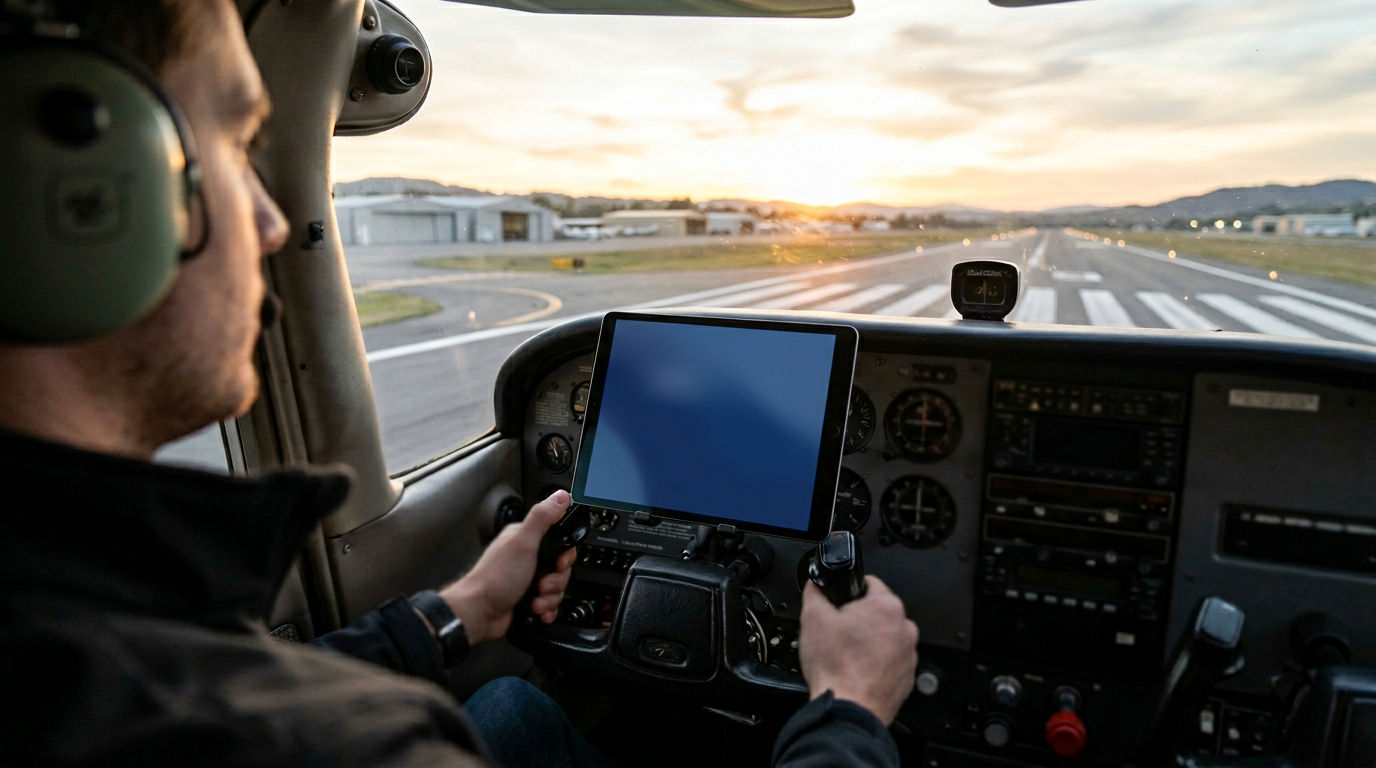
Every interaction is voice-first, every grade is auditable, and every word of phraseology comes from the publications you study for the checkride.
Clearance Delivery, Ground, Tower, and Center each have their own voice agent with the right cadence, pacing, and phraseology. Pick male or female per position so the radio sounds like a real towered field.
Eighteen scenarios across Private, Instrument, and Commercial — from your first solo pattern to a low IFR arrival into busy Class B.
Every readback, callup, and miss is matched to AIM Chapter 4 and FAA Order 7110.65 — with the exact paragraph quoted in your debrief.
A dedicated Live Weather tab shows your home airport plus the five nearest fields with live D-ATIS and METAR — tap any row to switch. In-scenario, ATIS plays as broadcast audio when published, otherwise as a synthesized tape-voice read of the current METAR.
Save the full transcript, scores, and citations as an email and send it to the instructor email on your profile — straight from the debrief.
Departure, arrival, alternate. Pick a specific field or roll a random one — the FAA NASR database, refreshed every 28 days, ships with the app.
New in V3 · 1.1.0 · May 2026
The headline is GOT CRAFT? — a brand-new tab that drills clearance copy at instructor-grade speed and grades your readback on-device. Around it: 75 FAA-grounded scenarios, an ElevenLabs Conversation Mode, and a Report tab rebuilt around the same debrief language as the post-session screen.
Rapid-fire clearance copy. ElevenLabs delivers a CRAFT clearance at Standard (150 wpm) or Rapid (180 wpm); you scribble on a finger-drawing legal-pad scratchpad, then tap Read Back. An on-device matcher (no cloud) grades each of the five elements — Clearance limit, Route, Altitude, Frequency, Transponder — with letter grades and per-element coaching tips. 30 FAA-realistic clearances across Private VFR, Instrument IFR, and Commercial.
Toggle Conversation Mode in any session and audio routes through the ElevenLabs realtime websocket instead of turn-based REST. The ATC agent responds without the V2 push-to-talk pause — closer to the rhythm of a real radio exchange.
Push-to-talk now waits a full 1.5 seconds of continuous silence before auto-cutting the mic — matching the natural pause length in real ATC exchanges. The V2 mid-readback chop is gone.
Every scenario card now exposes a dedicated Listen to Instructions button. Tap once and a personalized voice briefing covers winds, runway, traffic, and what to expect from each controller — in under three seconds.
The new engine models per-skill performance — phraseology, readback accuracy, position transitions, weather IQ, lost-comms, emergency handling — and recommends the next scenario from your weakest gap. The Home card surfaces your top three weak skills.
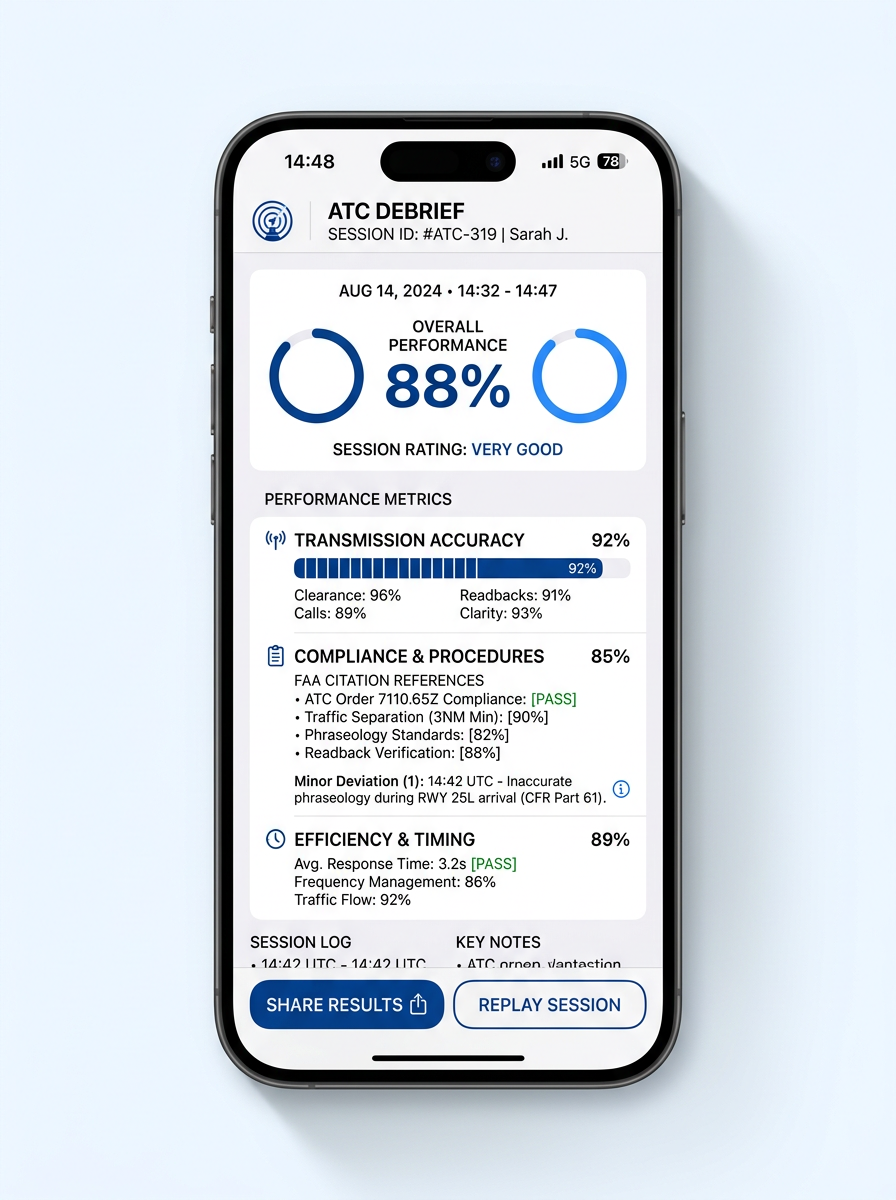
The Report tab is rebuilt around the same DEBRIEF visual language as the post-session screen: twin ring gauges, Transmission Accuracy / Compliance / Efficiency cards, trend-over-time chips, and per-skill bars. One language end-to-end — the V2 history list is gone.
The library expands to 75 scenarios — 25 Private + 25 Instrument + 25 Commercial — all grounded in AIM Ch 4–5, JO 7110.65BB, and AC 90-66B. Every one of them now ships with a step-by-step instructions block covering setup, expected calls, common pitfalls, and grading focus.
The scenario picker now opens with the airport set to the value in your pilot profile — not a hard-coded KSRQ. Every briefing, weather card, and CRAFT clearance respects it automatically.
The visible tab bar is Home · Get Weather · Train · GOT CRAFT? · Report; Settings auto-routes into the iOS More overflow as the 6th tab. One tap to anything you need.
Four ATC positions
Each scenario walks you through the positions a real pilot would call — in the right order, on the right frequency.
IFR clearances and CRAFT readbacks at towered fields.
Taxi instructions, hold-short, and runway crossings.
Takeoff, landing, and pattern work on the active runway.
En-route handoffs, vectors, descents, and approaches.
Scenario library · V3 · 75 flights
25 Private · 25 Instrument · 25 Commercial. Florida-centered routes — easy to fly anywhere because every US public-use airport is in the database. Each one ships with a step-by-step instructions block, voice briefing, and grading focus.
Closed traffic at a Class D field with sequencing.
Departure clearance, frequency changes, pattern entry.
Code, vector, altitude assignments through Class C.
Bravo clearance phraseology, vectors, parallel runways.
NORDO arrival under tower light-gun procedures.
Departure, maneuvers, return for the visual.
Class D departure, en-route advisories, CTAF arrival.
Soft-field briefing, technique, and tower coordination.
Performance brief, hold-short, and short-field roll.
Line up and wait, traffic-on-final, conditional clearance.
Initiating go-around, tower coordination, re-entry.
SVFR phraseology under marginal VFR ceilings.
Wind report, runway selection request, tower call.
Approach handoff, descent, towered arrival after sunset.
Request VFR-on-top from Center over a layer.
Declare intent, request advisories, divert to alternate.
Submit a UA PIREP to FSS / Center.
Inbound advisories, tower call, sequencing.
Non-towered traffic with non-radio operations.
Declare, vectors to the nearest, priority handling.
Inbound midfield, downwind entry, sequencing call.
Stay under the shelf, frequency monitoring, advisories.
Tower extends downwind for traffic, follow-up call.
Wake-turbulence advisory, request and acceptance.
End-to-end Private checkride radio work.
Pick up the clearance on the ground; full readback.
Filed SID with vectors to the en-route fix.
Holding instructions, EFC, entry determination.
Vectors to final, decision altitude, missed approach.
Execute the published miss, request another shot.
Request a pop-up clearance from Center mid-route.
LPV to minimums into a non-towered field.
VOR approach with circle-to-land authorization.
Arc intercept, lead radial, final descent.
Back-course tracking with reverse-sensing.
Charted STAR, descend-via, speed restrictions.
Obstacle Departure Procedure, climb gradient.
Full amended-route readback while on vectors.
Climb-via with charted altitude restrictions.
Route, altitude, and altitude-floor decisions per AVEF.
Request and fly Center no-gyro vectors.
Entry-type determination from inbound course.
Phone-clearance void time and release window.
ILS to the parallel with a sidestep clearance.
VFR-on-top clearance for an approach.
Acknowledge, climb, and resume the procedure.
Climb-via SID with a bottom-altitude floor at a fix.
Cleared direct, resume own navigation phraseology.
Hold-in-lieu of procedure turn entry and exit.
Declare, priority handling, divert to nearest suitable.
Four frequency changes, multiple Center handoffs.
Full amended-route readback in cruise.
Speed and vector amendments into a Bravo.
Charter clearance with passengers on the ramp.
Activate filed alternate, full divert request.
Multi-leg comm flow under examiner conditions.
Crew briefing for an amended descent restriction.
High-tempo Bravo arrival with rapid-fire amendments.
US ADIZ entry: code, ETA, and position reports.
Fuel decision and filed-alternate activation.
Oceanic position report phraseology.
RA response, deviation report to ATC.
RVSM equipment failure, descent request, deviation.
Activate filed alternate before commencing approach.
Request a step-climb based on aircraft performance.
Negotiate a reroute around a Temporary Flight Restriction.
Bingo-fuel decision, divert with hold remaining.
Visual approach with traffic-in-sight separation.
Request a contact approach with reported visibility.
Charted visual approach (KDCA-style) phraseology.
Self-sequencing into a busy non-towered field.
Airliner-style lost-comms transition under last clearance.
Hazmat declaration with handling priority.
Priority handling and rapid descent for a medevac flight.
Full ATP/Commercial checkride radio sequence.
ATIS & Weather
Hear the ATIS exactly the way it would sound on the tarmac. Virtual Pilot Coms checks four sources in order — and never silently falls back. If we can't deliver real conditions, you see "(unavailable live)" with a button to simulate.
Auditable phraseology
Grading isn't a feeling. Every transmission is checked against the exact AIM and 7110.65 paragraph it implements, and the citation shows up in your debrief alongside the model phraseology.
After every session
Not a checkmark dump. A complete transcript with errors flagged, phraseology citations, response-time metrics, and a one-tap share to the instructor email on your profile.
Clearance, Ground, Tower, Center each scored separately.
The exact paragraph from AIM 4-2 or 7110.65 to study.
Response latency, clipped readbacks, missed callsigns.
Save to Mail or send straight to the instructor email on your profile.
Pricing
One subscription. iPhone and iPad. Unlimited sessions, full scenario library, every US airport.
7-day free trial. Cancel anytime in iCloud Settings.
Questions